Digital painting is the bridge between traditional art and the digital tools that power entertainment, concept art, illustration, and commercial design. Whether you want to paint cinematic environments, believable characters, or stylized illustrations for clients, the right course will give you focused technique, efficient workflows, and portfolio-ready projects. Below are ten online courses and platforms that consistently help artists level up – with clear notes on what you’ll learn and who each course is best for.
Why take a course in digital painting?
A great course speeds up learning by giving you curated exercises, feedback loops, and real-world assignments. Instead of guessing which techniques matter, you practice industry-standard workflows (brush control, color, composition, lighting, rendering, and efficient file management). Courses also help with portfolio curation and client-ready deliverables – the things that turn a hobbyist into a hired artist.
How to use this list
Each item below includes what the course/platform focuses on, who it’s best for, and the practical skills you’ll walk away with. Pick 1–2 courses that align with your goals (concept art vs. illustration vs. commercial painting), and commit to finishing projects – completion trumps quantity.
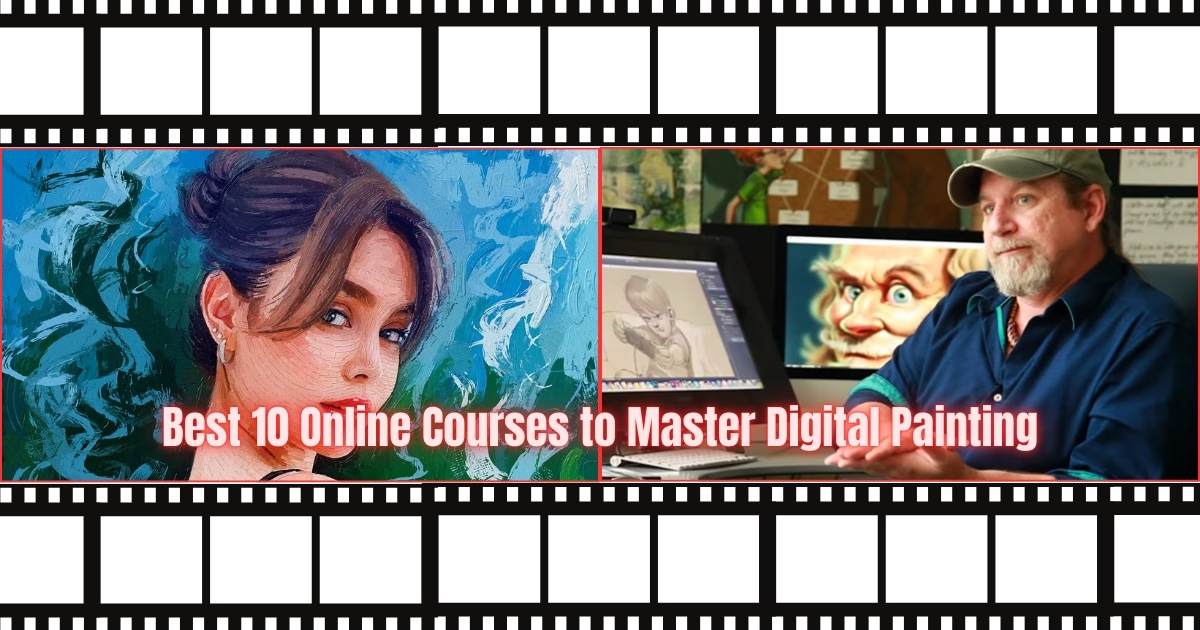
Best 10 Online Courses to Master Digital Painting
1. Ctrl+Paint – Digital Painting Fundamentals
Who it’s for: Beginners and intermediate artists who want a solid technical foundation.
What you’ll learn: Brush basics, value studies, color theory, edge control, simple rendering workflows, and practical exercises you can repeat. Ctrl+Paint’s library is structured as small, focused lessons so you can practice specific skills every day. Great if you prefer short lessons and direct practice.
2. Schoolism – Character & Environment Painting (various instructors)
Who it’s for: Serious students who want mentorship-style classes from working industry pros.
What you’ll learn: In-depth modules on character design, environment painting, stylization, storytelling, and professional critiques. Schoolism courses are taught by veteran illustrators and concept artists and often include instructor feedback on student work – a huge advantage for building a professional portfolio.
3. Gnomon Workshop / Gnomon School – Masterclasses & Industry Techniques
Who it’s for: Artists targeting games, film, and VFX industries.
What you’ll learn: High-end production workflows, advanced rendering, photobashing, texture painting, and pipeline-aware techniques. Gnomon’s classes mirror studio expectations and are excellent for artists preparing for concept art or matte painting roles.
4. CGMA (Computer Graphics Master Academy) – Digital Painting for Concept Artists
Who it’s for: Intermediate to advanced artists who want rigorous, semester-style learning.
What you’ll learn: Structured courses with assignments, mentor critiques, and a focus on marketable deliverables – character concepts, environment comps, and visual development. CGMA is known for instructor feedback and portfolio-focused critiques.
5. Learn Squared – Concept Art & Digital Painting (Project-Based)
Who it’s for: Artists who learn best by building real projects and collaborating.
What you’ll learn: Project-based learning with industry pros; courses mix theory with hands-on project work – e.g., creating a character line-up or a cinematic environment. Learn Squared emphasizes modern workflows and commercial project outcomes.
6. Domestika – Stylized Illustration & Digital Painting (Creative Focus)
Who it’s for: Illustrators and designers seeking stylized, brand-friendly painting techniques.
What you’ll learn: Artist-led courses that explore personal style, color palettes, editorial composition, and workflow tips for producing client-ready art. Domestika courses are visually polished and great for illustrators who want to sell prints, work with magazines, or produce commercial imagery.
7. ArtStation Learning – Industry-Focused Tutorials & Series
Who it’s for: Artists already working in 3D/game pipelines or preparing for concept art careers.
What you’ll learn: Short series and tutorials on digital painting techniques, texture work, and pipeline integration. ArtStation Learning pairs well with a portfolio hosted on ArtStation – you can learn and apply industry-relevant techniques directly to showreel pieces.
8. Proko + Paint Tool-Specific Courses – Anatomy & Painterly Skills
Who it’s for: Artists who need to strengthen figure, anatomy, and gesture skills to paint believable characters.
What you’ll learn: While not always billed strictly as “digital painting,” Proko’s anatomy and figure courses combined with digital painting practice allow you to render realistic, expressive characters. Clarifying anatomy accelerates believable rendering.
9. Udemy / Skillshare – Practical Short Courses & Workflow Hacks
Who it’s for: Budget-conscious learners and those who want quick, hands-on techniques (Photoshop, Procreate workflows).
What you’ll learn: Focused mini-courses on specific tools (Procreate brush techniques, Photoshop matte painting, color grading). These are often cheaper and good for filling gaps (e.g., mastering clipping masks or building custom brush libraries).
10. Learn By Doing – Personal Mentorships & Portfolio Intensives
Who it’s for: Artists ready to invest in 1:1 mentorship or portfolio bootcamps.
What you’ll learn: Tailored feedback, career coaching, and client-ready revisions. Mentorships fast-track growth by zeroing in on your weaknesses, refining your unique style, and preparing pieces that attract clients or employers.
What tools you’ll need
- Primary painting apps: Adobe Photoshop, Procreate (iPad), Krita (free)
- Hardware: A pressure-sensitive tablet (Wacom, XP-Pen) or iPad with Apple Pencil
- File workflow: Learn non-destructive editing, layer organization, and proper export settings (RGB for web, high-res TIFF/PSD for prints)
Tips for choosing the right course
- Set a single goal: portfolio piece, freelancing, or studio-ready reel.
- Prioritize feedback: courses with critique accelerate growth.
- Check instructor background: prefer active industry professionals.
- Finish projects: one completed, polished painting is worth more than ten unfinished studies.
- Mix fundamentals + trends: anatomy, color, and composition + current tool workflows (Procreate, Photoshop, generative brushes).
Turning course work into paid opportunities
- Build case studies: show before/after, process shots, and time-lapses.
- Package services: character commissions, environment concepts, social-ready illustrations.
- Use the pieces to pitch short-term gigs or concept tests to studios and brands.
How Cast Artists helps digital painters get discovered
Cast Artists connects artists to production houses, brands, and media companies looking for digital talent. Create a professional profile, upload your best course projects and showreels, and apply to casting or creative briefs posted by companies that need illustrators, concept artists, and digital painters.
Next steps (quick learning roadmap)
- Pick a fundamentals course (Ctrl+Paint or Proko anatomy).
- Do a project-based course (Learn Squared, Schoolism, or CGMA).
- Publish 2–3 portfolio pieces and get critique.
- Join Cast Artists, upload your portfolio, and start applying to gigs.
Contact Cast Artists
For regarding all the services mentioned here:
🌐 Our Services: http://castartists.com/services
📞 Phone: +91 9490056002
💬 WhatsApp: https://wa.me/+91 9490056002
Start mastering digital painting, build a professional portfolio, and get discovered by brands, production houses, and filmmakers through Cast Artists.